Why the screen matters as much as the projector
A projector produces light. What the screen does with that light — how it reflects it, diffuses it, and manages any light coming from other sources in the room — determines what you actually see. The same projector mounted in the same room will produce a dramatically different image on a matte white screen versus a high-gain screen versus an ambient light rejecting surface.
Gain, uniformity, viewing angle, colour accuracy, black levels — all of these are properties of the screen material, not the projector. A well-matched screen and projector combination is always going to outperform either component chosen in isolation.
At our Maidenhead showroom, we demonstrate several screen types alongside the same projector precisely so that clients can see these differences for themselves before committing to a specification. The results consistently surprise people.
Fixed frame screens: the purist's choice
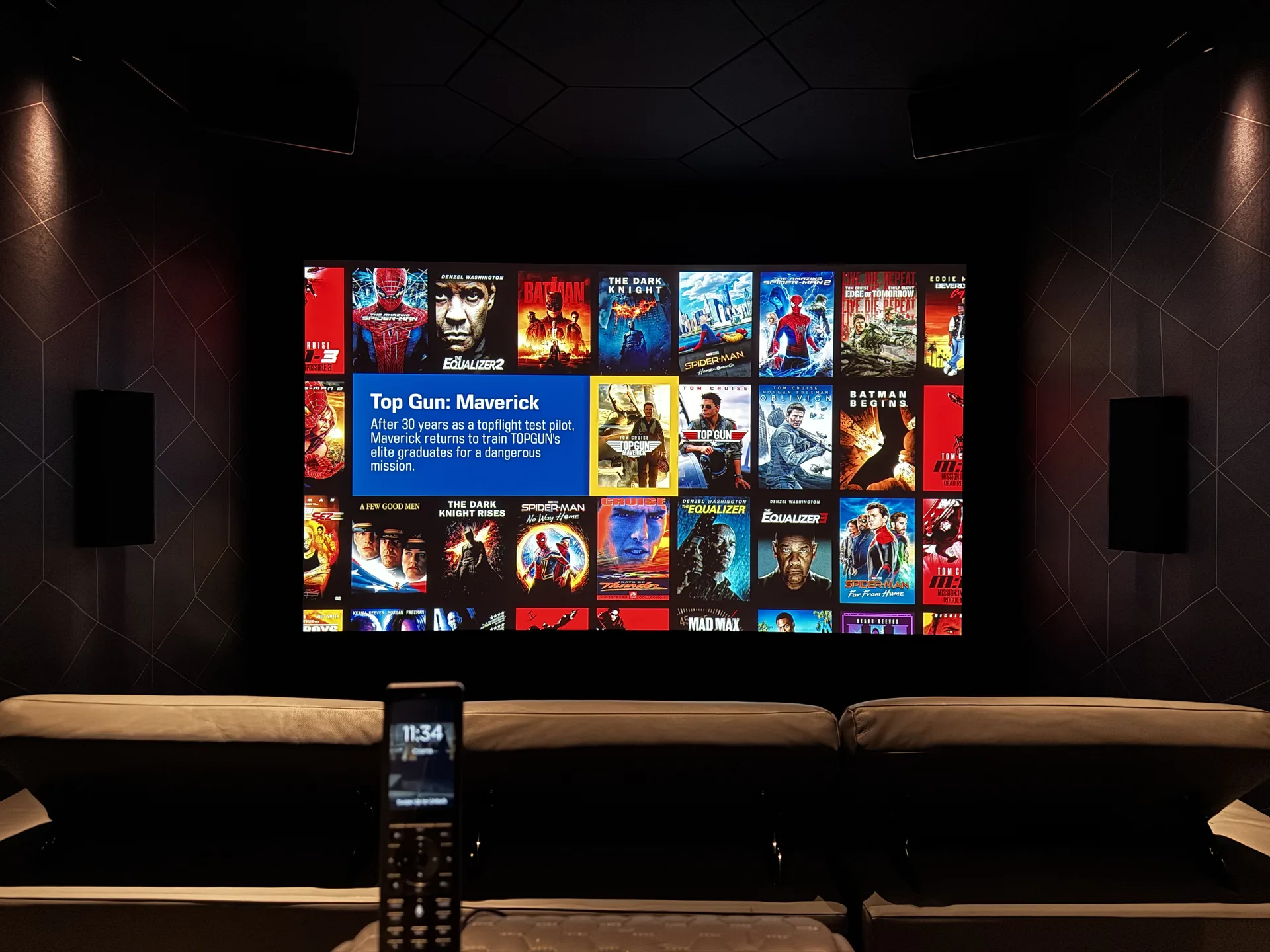
A fixed frame screen is exactly what it sounds like: a rigid aluminium frame with the screen material stretched across it and mounted permanently on the wall. It cannot be raised or hidden — it's always present and always flat.
For a dedicated cinema room, a fixed frame is generally the best option. The tensioned surface is perfectly flat at all times, with no possibility of waviness or sag. Edge-to-edge image uniformity is excellent. And because the frame holds the material under consistent tension regardless of temperature or humidity, the geometry of the image is stable over time.
Fixed frame screens are also typically available with the widest range of material options, including the more exotic ambient light rejecting surfaces described below. If you have a room that is committed to cinema use — with light control that can genuinely darken it — a fixed frame will give you the best results at every price point.
Aspect ratio is a practical consideration here. Cinema content is typically 2.39:1 (Cinemascope) or 1.78:1 (16:9/HD). Choosing a screen that matches the primary content you'll watch avoids letterboxing or pillarboxing. Some dedicated cinema rooms use a 2.35:1 or 2.40:1 screen paired with an anamorphic lens on the projector — a combination that fills the full screen width for widescreen films while still handling 16:9 content cleanly.
Motorised screens: flexibility for multi-use spaces
A motorised screen descends from a ceiling cassette or wall-mounted housing when you want to watch, and retracts out of sight when you don't. For rooms that serve dual purposes — a living room, a media room that also functions as a study or playroom, or a home office that doubles as a cinema — motorised screens are the obvious solution.
Quality varies considerably across this category. At the budget end, motorised screens use simple electric motors with no tensioning system, meaning the material can develop waves or diagonal sag over time, particularly in rooms with central heating. At the upper end, products from brands such as Draper, Screen Research and Grandview use tensioned side guides and precision motors to maintain a flat, perfectly vertical surface every time the screen deploys.
Motorised screens integrate naturally with smart home control. On a Savant, KNX or Crestron system, a single "cinema" scene can simultaneously lower the screen, dim the lights via Lutron or Rako, close the motorised blinds, power on the projector and amplifier, and select the correct input — all triggered by one button press or a single tap on a touchscreen. That level of integration is one of the things that separates a properly designed home cinema from a collection of individual components.
Cassette housings can be surface-mounted or recessed into the ceiling. Recessed installation gives a much cleaner look, with the housing completely hidden when the screen is not in use. This is worth planning for at the first-fix stage — retrofitting a recessed cassette into a finished ceiling is significantly more disruptive than including it during construction.
Ambient light rejecting (ALR) screens: watching in a bright room
The conventional wisdom has always been that good projection requires a dark room. Ambient light rejecting screen technology has challenged that assumption significantly, though it hasn't entirely overturned it.
An ALR screen uses a specially engineered optical structure — typically a micro-louvred or lenticular surface — that reflects light coming from in front of the screen (i.e., the projector) while absorbing or diffusing light arriving from above and to the sides (i.e., room lighting, windows). The result is a projected image that remains visible and relatively contrasty even in a room with some ambient light present.
ALR materials work best with ultra-short-throw (UST) projectors, which fire light at the screen from a very shallow angle immediately below it. The geometry of the optical structure is designed around this light path, meaning the combination of a UST projector and a matched ALR screen can genuinely be used in a bright living room environment and produce a watchable, enjoyable image.
The trade-offs are real, however. ALR screens have a narrower viewing angle than standard matte white materials — the further you sit to the side of the screen, the more the image degrades. Colour accuracy can shift slightly depending on viewing position. And the gain characteristics that make ALR effective in ambient light mean that uniformity is harder to achieve across the full screen surface.
For a dedicated cinema room with proper light control, an ALR screen is not the right choice. The benefit does not apply, and the trade-offs remain. ALR makes most sense for a living room or open-plan space where complete light control isn't practical, and where the alternative would be a large flat-panel television.
On gain ratings: screen gain describes how efficiently the material reflects light back to the viewer relative to a standard white reference. A gain of 1.0 reflects uniformly in all directions. Higher gain (1.3, 1.8, 2.0) concentrates reflected light within a narrower cone — brighter on-axis, but dimmer off-axis. For cinema rooms with good light control, gain of 0.9–1.1 typically gives the best uniformity and widest viewing angle. Higher gain makes sense in rooms with more ambient light, or where the projector's output is limited.
Screen size: how big is right?
Bigger is not always better. The correct screen size depends on the distance from the screen to the primary seating position, the resolution of the source material, and — critically — the projector's light output relative to the screen area.
A useful rule of thumb for 4K content is that the viewing distance should be approximately 1.0–1.5 times the screen width. At this distance, the pixel structure is invisible to normal human vision and the image fills your field of view comfortably without requiring head movement to scan the frame. For a 140-inch screen (roughly 3.1 metres wide in 16:9), this suggests a viewing distance of about 3.5–4.5 metres.
More importantly, a projector with 2,000 lumens output will produce a bright, punchy image on a 100-inch screen in a dark room. On a 150-inch screen in the same conditions, the same projector will look noticeably dimmer — because the light is spread over a much larger area. Matching projector brightness to screen size, room light levels, and screen gain is fundamental to the specification process.
JVC and Barco both produce projectors we specify regularly for dedicated cinema rooms. JVC's native 4K D-ILA projectors are renowned for their black level performance — genuinely deep blacks that make dark scenes look cinematic rather than grey. Barco's residential reference projectors produce extraordinary colour accuracy and light output for very large screens. At the more accessible end, JVC's entry-level native 4K models provide exceptional value for rooms up to around 120 inches.
Aspect ratio and screen masking
High-end fixed-frame installations sometimes include motorised masking — black velvet panels that can be repositioned horizontally or vertically to match the aspect ratio of whatever content is playing. When a 1.78:1 film plays, the mask closes in from the sides to fill the full screen. When a 2.39:1 Cinemascope film plays, the top and bottom masks retract to reveal the wider frame.
Masking serves two purposes. Aesthetically, it eliminates the grey or white letterbox bars that sit outside the image on a fixed-ratio screen — when the active picture area is surrounded by black, the contrast impression is significantly enhanced. Practically, it absorbs stray light from those letterbox areas that would otherwise bounce around the room and lower perceived contrast.
Motorised masking is a meaningful upgrade in a dedicated cinema room and integrates cleanly with the same automation system controlling the rest of the room. It's the kind of detail that, once you've seen it working, is very difficult to go without.
Choosing the right screen for your project
The right screen for any given installation depends on several factors considered together: the room's intended use (dedicated cinema or dual-purpose), the light control available, the projector specified, the screen size, and the viewing geometry. There is no universal answer — which is why we treat the screen as a core specification decision rather than an afterthought.
At Quest End, we've installed screens across the full range of these categories — fixed frame matte white in purpose-built cinema rooms, tensioned motorised screens in living spaces, and ALR surfaces paired with UST projectors in open-plan environments. We're not tied to any single manufacturer, and we'll recommend whatever combination is genuinely best for the specific room and use case.
If you're planning a home cinema or upgrading an existing setup in Berkshire, Surrey, Oxfordshire or the surrounding area, we'd encourage you to visit our Maidenhead showroom before finalising any specification. Seeing the difference between screen types on the same projector in the same space is worth considerably more than any amount of reading about it.
Planning a Home Cinema or Screen Upgrade?
Visit our Maidenhead showroom to see different screen types demonstrated on the same projector — or talk to us about your room and we'll put together a specification that's right for the space. Call us on 01628 290640 or drop us a line at hello@questend.co.uk.